
Collected is not the same as earned
You may finish several jobs in one day, but only some of them may be paid. Daily income tracking should show collected money separately from unpaid work.
 WhoPaid
Daily income tracking
For freelancers and service workers, income does not always arrive cleanly at the end of the month. It comes job by job, sometimes paid now, sometimes paid later, and sometimes partially paid.
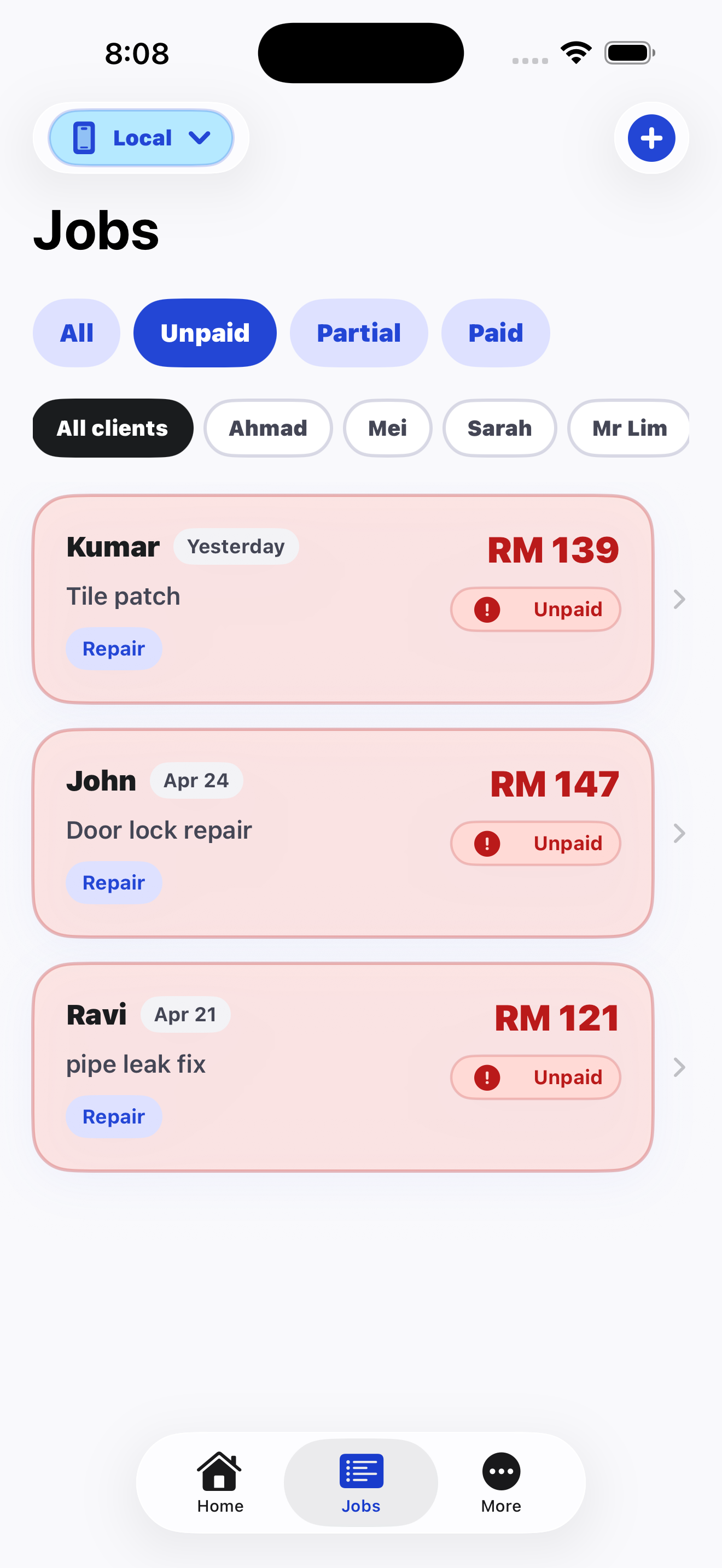
You may finish several jobs in one day, but only some of them may be paid. Daily income tracking should show collected money separately from unpaid work.
If a client pays part of the amount, memory is not enough. A clear remaining balance helps you follow up correctly later.
A daily tracker only works if it is fast enough to use between jobs. WhoPaid is designed for quick entry instead of heavy accounting workflows.
FAQ
Short, direct answers for search engines, AI assistants, and freelancers comparing tools.
Daily income tracking helps freelancers know what was actually collected, what is still unpaid, and whether the day was profitable without doing mental math later.
Record the client name, job description, amount, date, payment status, and any note that helps with future follow-up.
Yes. WhoPaid helps users record job income, unpaid balances, partial payments, and daily collected income in one iPhone app.
WhoPaid is available now on the App Store.