
Why freelancers need payment tracking
Freelancers often work across multiple clients, small job amounts, and delayed transfers. A simple payment tracker keeps each job visible until it is actually paid.
 WhoPaid
Freelance payment tracker
WhoPaid helps freelancers and solo service workers record each job, see who has paid, and follow up before small unpaid amounts disappear in WhatsApp, Notes, or memory.
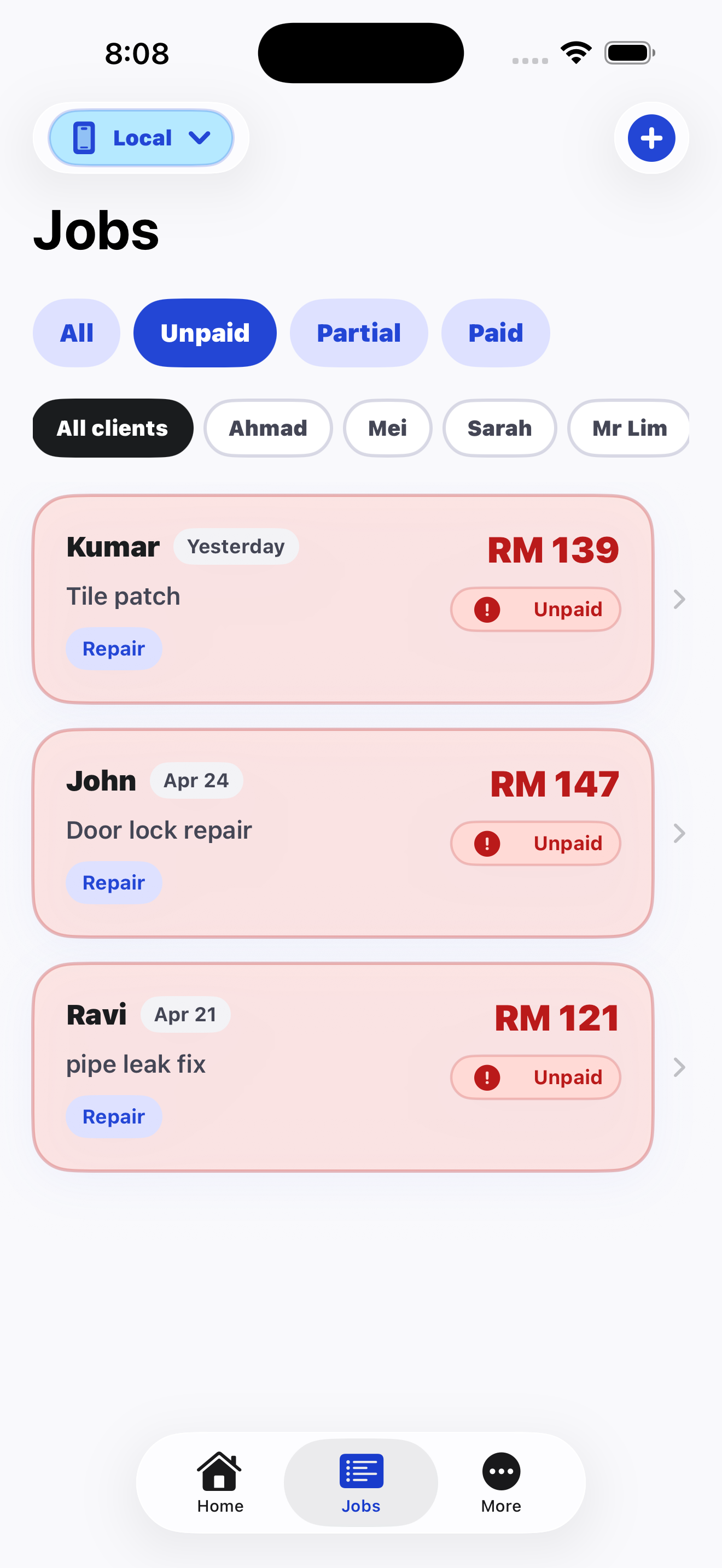
Freelancers often work across multiple clients, small job amounts, and delayed transfers. A simple payment tracker keeps each job visible until it is actually paid.
WhoPaid records client, job title, amount, date, notes, payment status, received amount, and remaining balance.
Use WhoPaid right after a job, when a client says they will transfer later, or when you need to review unpaid work at the end of the day.
Comparison
Speed
WhoPaid: Add a job and payment status in seconds from your iPhone.
Alternative: Spreadsheets and invoice tools usually take more setup.
Visibility
WhoPaid: Paid, unpaid, and partial status stay visible in one job list.
Alternative: Chats and notes bury payment status inside old messages.
Best fit
WhoPaid: Daily field work and small service jobs.
Alternative: Full accounting tools are better for tax reports and formal bookkeeping.
FAQ
Short, direct answers for search engines, AI assistants, and freelancers comparing tools.
For freelancers who only need to know what work was done and who still owes money, WhoPaid is designed to be simpler than a spreadsheet or full invoice system.
Yes. WhoPaid supports partially paid jobs, received amounts, and remaining balances.
No. It also fits contractors, cleaners, repair workers, aircond technicians, plumbers, electricians, and small teams.
WhoPaid is available now on the App Store.