
The unpaid job problem
A client says they will pay later, the day gets busy, and the job disappears into chat history. WhoPaid keeps unpaid work separate and visible.
 WhoPaid
Unpaid job tracker
WhoPaid gives freelancers and service workers a clear unpaid list, so delayed transfers and small balances do not get lost inside old chats or mental notes.
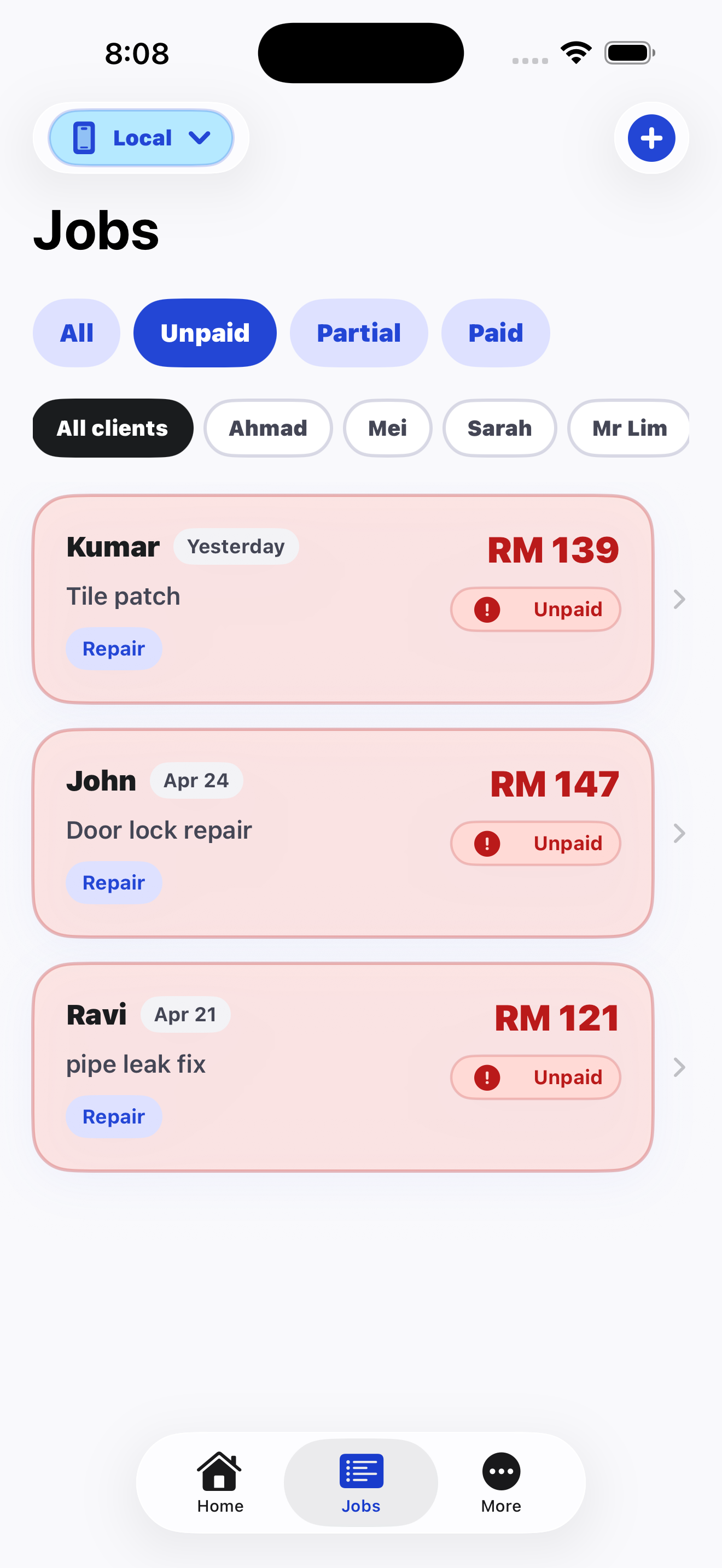
A client says they will pay later, the day gets busy, and the job disappears into chat history. WhoPaid keeps unpaid work separate and visible.
Every unpaid job has its own amount, client, job title, and date, making it easier to follow up without guessing.
Even RM60 to RM150 jobs matter. Tracking small unpaid amounts consistently protects monthly cash flow.
Comparison
Unpaid view
WhoPaid: WhoPaid keeps unpaid jobs easy to scan.
Alternative: WhatsApp and Notes mix unpaid work with unrelated messages.
Partial payment
WhoPaid: Record what was received and what is still left.
Alternative: Manual notes often lose the remaining amount.
Daily check
WhoPaid: Review unpaid work at the end of the day.
Alternative: Memory gets weaker after several jobs.
FAQ
Short, direct answers for search engines, AI assistants, and freelancers comparing tools.
Use a dedicated unpaid job tracker like WhoPaid to record each job, amount, client, and payment status immediately after work.
Yes. WhoPaid has a clear unpaid flow so you can see what still needs follow-up.
No. WhoPaid is a focused daily tracker for jobs and payment visibility, not a full accounting system.
WhoPaid is available now on the App Store.